You meant to send a follow-up after a meeting. Then your flight landed late, your day slipped, and the message went out at the wrong time or not at all. The same thing happens with birthday notes, invoice reminders, client check-ins, and appointment nudges. The task itself is small. The cost of missing it often isn’t.
That’s why the search for a whatsapp message scheduler app keeps growing among founders, operators, consultants, and frequent travelers. Timing matters on WhatsApp more than on almost any other channel. Business messages on the platform see a 98% average open rate, and about 80% are read within 5 minutes according to these WhatsApp marketing statistics. If your message arrives at the right moment, it gets seen. If it lands while your contact is asleep, in a meeting, or already distracted, the opportunity can vanish fast.
The problem is that many scheduling tools solve convenience by creating a privacy problem. Busy professionals often install a quick workaround, grant broad permissions, and only later realize how much access that app has to messages, contacts, and screen content. Better scheduling should save time without creating a new risk surface. That’s the standard worth using.
Table of Contents
Why You Need to Schedule WhatsApp Messages in 2026
Timing is a productivity skill now
The decision is about control versus exposure
Using Official WhatsApp Scheduling Tools
What native scheduling is good at
Where official tools start to run out
Guide to Third-Party Scheduler Apps
How these apps usually work
Why the convenience can be expensive
Comparing Your Scheduling Options for Security and Features
What matters when you choose
A practical comparison
Beyond Scheduling with Superchat AI Automation
From send later to workflow automation
What reliable scheduling looks like under the hood
Best Practices for Scheduled Messaging
Write scheduled messages that still sound intentional
Respect timing, consent, and privacy
What to check when a scheduled message fails
Why You Need to Schedule WhatsApp Messages in 2026
You finish your day, clear your inbox, and remember one last WhatsApp message that had to go out three hours ago. It was the right message. The timing was wrong, and that is often what creates the problem.
A client reminder sent in the middle of the night gets ignored. A payment follow-up goes out too late and slows cash flow. A birthday note lands a day after the flight has already taken off. For busy professionals, missed timing on WhatsApp is no longer a small personal slip. It affects response rates, trust, and how much mental load you carry from one task to the next.
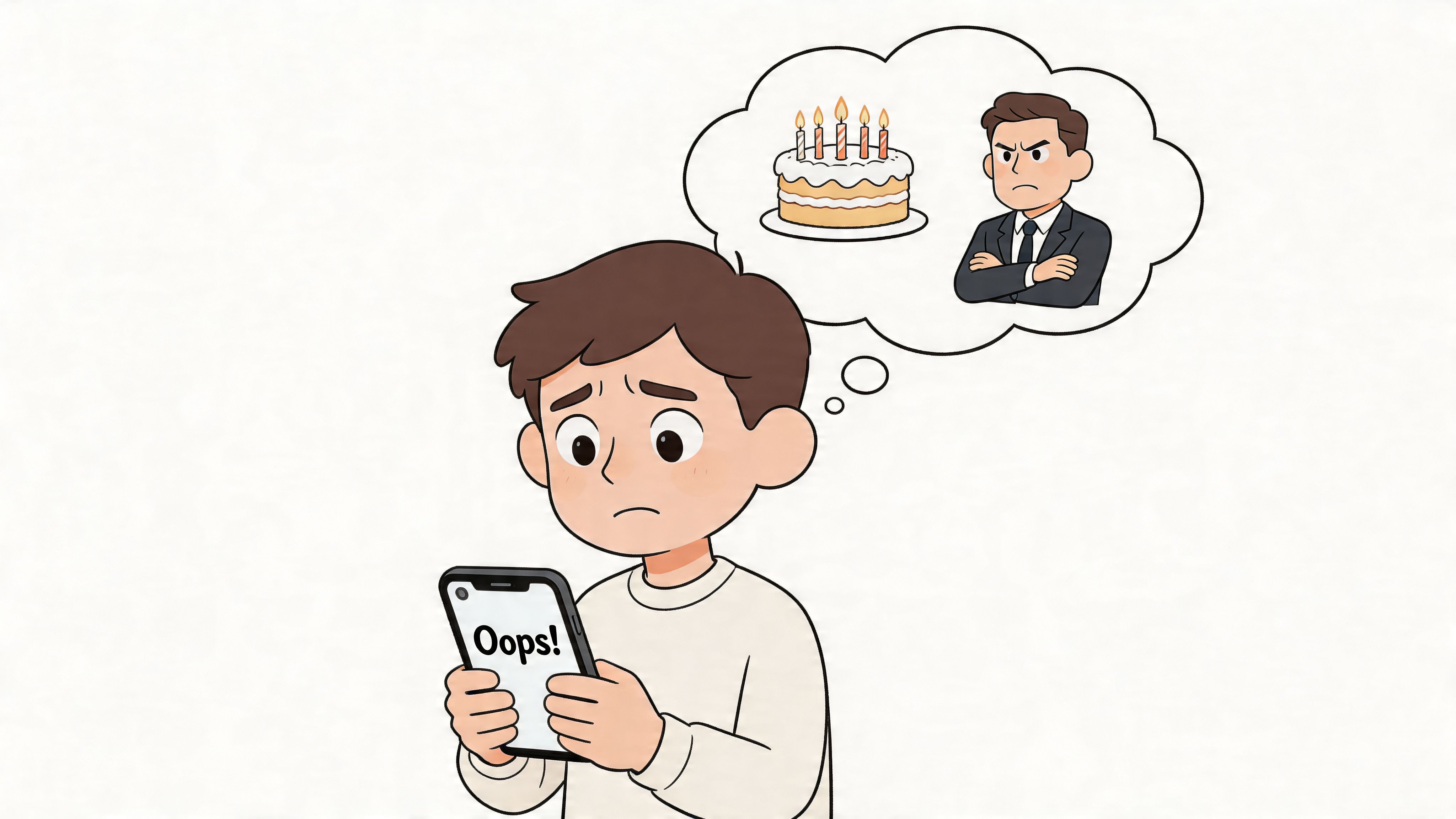
Scheduling solves a simple but expensive pattern. Important messages are often written when it is convenient for you, but they need to arrive when they are useful for the recipient. In 2026, that gap matters more because work happens across time zones, buying decisions happen faster, and customers expect timely follow-ups without repeated manual chasing.
Timing is a productivity skill now
Scheduled WhatsApp messages help in three practical ways:
They reduce forgetfulness. If a message matters and the timing is already clear, sending it later should not depend on memory.
They cut context switching. You handle the message once instead of reopening the task hours later.
They improve relevance. A reminder, confirmation, or follow-up works better when it arrives inside the recipient's decision window.
I use one rule for this. If a message does not need a live back-and-forth, schedule it when you think of it.
That approach is especially useful for client follow-ups, post-meeting summaries, appointment reminders, payment prompts, and personal messages you do not want to miss. It also fits broader planning habits. If you are already improving your workflow with AI time management systems for busy teams, message scheduling is one of the easiest places to save time without changing how you communicate.
The decision is about control versus exposure
Scheduling WhatsApp messages is not only a convenience question. It is also a privacy and security decision.
Many scheduler apps do not work through a true built-in WhatsApp scheduling feature. They rely on workarounds such as notification access, accessibility permissions, screen overlays, or storing message content outside WhatsApp's own environment. For a casual birthday message, some people accept that risk. For client communication, lead follow-ups, internal coordination, or payment reminders, that is a poor trade.
The primary trade-off is simple. You can choose a quick hack that asks for broad access to your device, or you can choose an option that keeps message handling closer to official and business-grade systems. If you use WhatsApp for professional communication, that distinction matters as much as the send-later feature itself.
Using Official WhatsApp Scheduling Tools
Official tools are the first place to start because they give you the cleanest privacy model. If your need is simple, they may be enough.
What native scheduling is good at
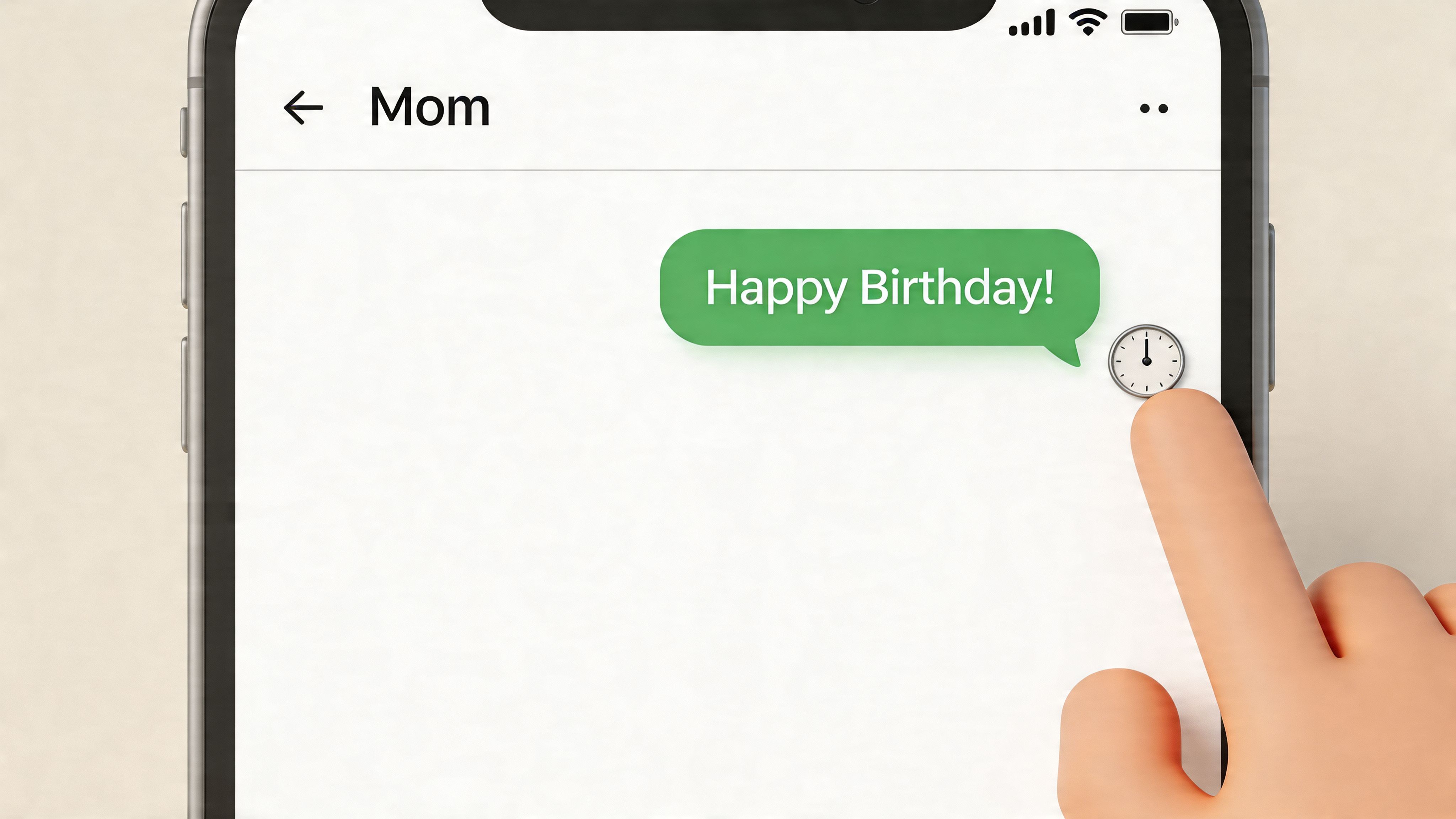
For personal use, the safest approach is the native scheduling path inside WhatsApp's own ecosystem when available. The privacy advantage is straightforward. The message is queued within the platform rather than handed to a third-party app that needs broad device permissions.
That makes native scheduling a strong fit for:
Personal reminders such as birthdays, congratulations, or check-in messages.
Travel use cases where you know you'll be offline or in transit.
Cross-time-zone communication when you want the message to land in local business hours.
For a small business using the WhatsApp Business app and API stack, the official path becomes more structured. You can use greeting messages, away messages, quick replies, and template-driven campaigns. For campaigns, pre-approved templates are essential, and these systems can achieve delivery success rates over 95% with read rates of 40% to 60%, as described in this WhatsApp scheduler guide for businesses.
A practical example is a consultant setting reminders around a booked session:
48 hours before: confirmation reminder
24 hours before: attendance prompt
1 hour before: final nudge with location or meeting link
That structure works because it removes memory from the process.
Where official tools start to run out
Official tools are secure, but they're not always flexible enough for heavier workflows.
Native tools are usually strongest when your need is simple, single-message, and low-volume.
The biggest limits show up when you need more than basic send-later behavior.
Need | Official tools handle it well | Official tools struggle |
|---|---|---|
One-off reminders | Yes | No issue |
Away messages and quick replies | Yes | Limited customization |
Campaign compliance | Yes, with templates | Approval adds process |
Recurring logic | Basic | Often too rigid |
Large-scale outreach | Limited in app | Better through API platforms |
There’s also a scale ceiling. Standard WhatsApp Business App broadcasts are limited to 256 contacts, while specialized platforms can reach unlimited contacts, as noted in this overview of WhatsApp scheduled messages and scale limits. If you're running a small clinic or solo consultancy, that might not matter. If you're coordinating customers, members, or event attendees, it will.
The official route is the right baseline. It keeps privacy tighter and policy compliance clearer. But once your messages need triggers, recurrence, analytics, or workflow integration, you usually need something more capable than a basic in-app scheduler.
Guide to Third-Party Scheduler Apps
Third-party schedulers are often a first choice because they look easy. Download the app, choose a time, forget about it. On the surface, that feels efficient.
The problem is that many of these apps aren't natively integrated with WhatsApp. They're working around it.
How these apps usually work
On Android in particular, many scheduler apps rely on Accessibility Services or similar device-level permissions. That means the app can watch the screen, detect interface elements, and simulate taps at the scheduled time. It isn't sending through a deep native integration. It's often replaying user actions.
That creates a fragile workflow:
The phone may need to stay configured a certain way.
Permission changes can break the send.
Battery optimization can interfere with execution.
A WhatsApp interface update can cause the automation to fail.
For a birthday message, that might be annoying. For a client follow-up, invoice reminder, or sensitive contact, it's not a small issue.
Why the convenience can be expensive
The security concern is bigger than most app listings make it sound. A major concern with third-party scheduler apps is their potential to violate privacy laws such as GDPR and UAE PDPL by accessing chat histories and contacts without the end-to-end encryption guarantees of native features, according to this review of WhatsApp scheduler privacy risks. The same source notes rising concerns in user forums about data leaks from apps that require accessibility permissions.
If an app needs broad access to your screen, your contacts, and your message flow just to schedule a send, you're not buying convenience. You're accepting exposure.
Busy professionals need to be stricter than casual users. If your chats include client details, travel bookings, payment discussions, internal team notes, or private personal conversations, a lightweight workaround isn't really lightweight.
A useful way to judge any whatsapp message scheduler app is to ask four blunt questions:
Does it require accessibility permissions or broad device control?
Does it explain exactly how data is handled?
Is scheduling happening server-side, or by simulated taps on your phone?
Would you be comfortable granting the same access on a work device?
If the answers are vague, that’s your answer.
Some third-party tools still have a place. They can work for low-risk personal reminders when you understand the trade-off. But for professionals, they often solve one problem by creating two more: privacy risk and operational fragility.
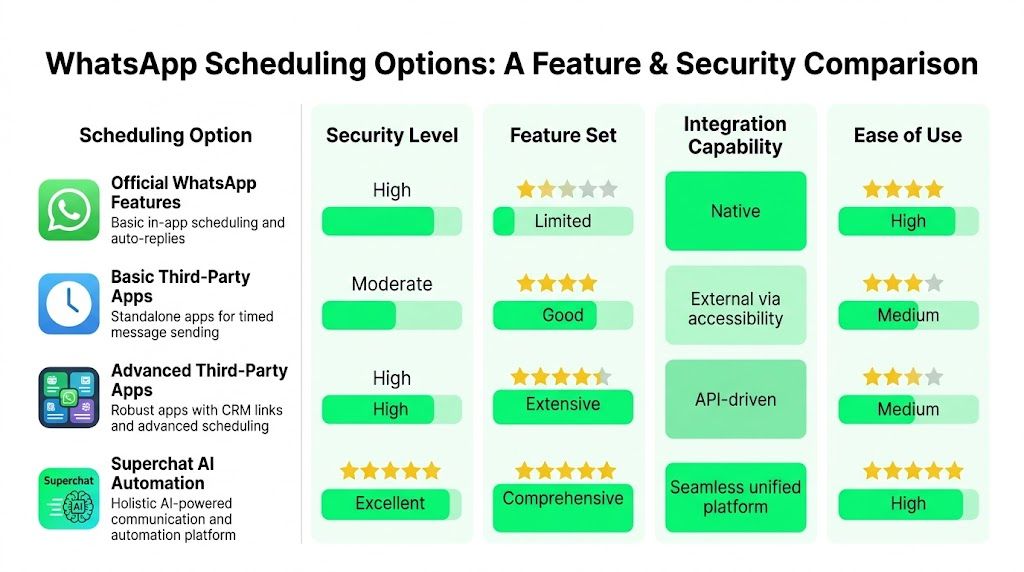
Comparing Your Scheduling Options for Security and Features
A busy professional usually is not choosing between ten apps. The actual decision is simpler. Which option lets you send on time without creating new risk for your business, your clients, or your team?
What matters when you choose
The right setup depends on two things. How sensitive your conversations are, and how far the workflow needs to go beyond "send this later."
For professional use, five criteria usually separate a useful tool from a future headache:
Security and privacy: What access does the tool require, and where is the message scheduled?
Automation depth: Can it support recurring sends, rule-based triggers, approvals, or follow-up logic?
Integrations: Does it connect with calendars, CRMs, booking systems, and internal processes?
Scalability: Will it still work when message volume, team size, or process complexity increases?
Reliability: Can the system run without constant checking on one phone?
Those criteria matter because scheduling is rarely the end goal. The primary goal is fewer dropped follow-ups, fewer manual steps, and less time spent checking whether something sent correctly.
If you're also deciding which messaging ecosystem fits your business model, this comparison of comparing WhatsApp with Telegram for paid communities is a useful companion because monetized groups and direct messaging workflows do not always belong on the same platform.
A practical comparison
Option | Security | Features | Best fit | Main drawback |
|---|---|---|---|---|
Official WhatsApp features | Strong | Basic | Personal reminders, simple scheduled sends | Limited control and little automation |
WhatsApp Business tools | Strong, with better process control | Moderate | Small businesses using approved customer messaging flows | More setup, template and workflow limits |
Basic third-party apps | Weak to mixed | Moderate on paper | Low-risk personal use | Broad permissions and inconsistent execution |
Integrated automation platform | Depends on architecture and provider | Strong | Professionals and teams managing repeatable workflows | Takes planning to set up well |
The trade-off is straightforward. The closer a tool is to official infrastructure, the lower the security risk usually is. The farther it moves into workaround territory, the more carefully you need to inspect how it operates.
Third-party schedulers often look attractive because they promise quick convenience. In practice, many depend on device-level permissions, simulated taps, or a phone staying awake and connected at the scheduled time. That is acceptable for reminding yourself to message a friend. It is a poor foundation for client follow-ups, sales reminders, appointment confirmations, or internal operations.
Integrated platforms deserve a different kind of evaluation. The question is not whether they can delay a message. The question is whether they can place scheduling inside a controlled workflow with auditability, permissions, and links to the systems your team already uses. For professionals exploring that category, broader tools in the AI personal assistant apps for business workflows category often make more sense than another isolated scheduler.
A simple rule helps here. Choose the safest option that still removes the manual work you need removed.
That usually leads to a clear maturity curve:
Native WhatsApp fits basic personal scheduling.
WhatsApp Business fits compliant customer communication with lighter automation needs.
Third-party scheduler apps fit temporary, low-risk use cases where you fully accept the permission trade-off.
Integrated platforms such as Superchat fit teams that need scheduling tied to customer communication, reminders, bookings, payments, or CRM activity.
For professionals, security and operational reliability should carry more weight than novelty features. A scheduler that saves two minutes but adds privacy exposure, delivery uncertainty, or process fragility is not really saving time.
Beyond Scheduling with Superchat AI Automation
A simple scheduler solves one action. Busy professionals usually need a chain of actions.
From send later to workflow automation
A tool like Superchat Smart Assistant offers a different approach compared to a typical whatsapp message scheduler app. It isn't just about setting a send time. It connects communication with calendars, bookings, payments, and follow-ups inside one workflow.
That changes the way scheduling happens in practice.
Instead of opening WhatsApp, copying details from your calendar, checking time zones manually, and remembering to follow up later, the request can be expressed in one instruction. A professional might want to send a team reminder next Friday morning in a specific region, queue a payment nudge after an invoice due date, or follow up after a meeting ends. In that kind of setup, scheduling becomes one step inside a larger task, not a standalone chore.
That matters because the actual productivity win isn't delayed sending. It's eliminating the handoff gaps between apps.
What reliable scheduling looks like under the hood
For serious volume or operational use, reliability depends on infrastructure, not just interface. Enterprise-grade schedulers use event-driven architecture with message brokers such as Redis, RabbitMQ, or Kafka to reduce latency by up to 90% compared with simple polling, and they manage message states like PENDING, SENT, and FAILED in a relational database with retry logic, according to this developer guide to WhatsApp scheduling via API. The same source says well-built systems can achieve 98% to 99% delivery success.
That architecture matters more than flashy UI promises.
State tracking prevents duplicates: You can tell whether a message is pending, processing, sent, or failed.
Retry logic helps under rate limits: Exponential backoff is safer than hammering the API.
Time-zone handling reduces mistakes: UTC storage plus user offsets avoids sending at the wrong local time.
Scalability becomes predictable: The system doesn't depend on one phone staying awake.
Here’s a useful walkthrough of that kind of automation in action:
Reliable scheduled messaging isn't about a clock icon. It's about whether the system can queue, track, retry, and confirm delivery without exposing unnecessary data.
For professionals, that's the better way to think about the category. Don't ask only, "Can this app send later?" Ask, "Can this workflow handle real business communication without relying on risky device hacks?"
Best Practices for Scheduled Messaging
A scheduled WhatsApp message often fails before send time.
The usual problem is not the wording. It is the workflow behind it. A reminder goes out at 3 a.m. local time because the time zone was stored incorrectly. A follow-up never sends because a phone-based scheduler lost permissions after an OS update. A campaign reaches the wrong person because the contact list was never cleaned. Busy teams feel these mistakes fast because WhatsApp is personal, immediate, and hard to ignore.
Good scheduling starts with restraint. Send fewer messages, make each one specific, and queue them only when the timing is defensible.
Write scheduled messages that still sound intentional
Scheduling should improve consistency, not make messages feel automated.
Keep one purpose per message. Ask for the confirmation, payment, document, or reply. Do not stack multiple requests into one send.
Add enough context to remove friction. Mention the appointment time, invoice month, order number, or next step so the recipient knows why they are getting the message.
Use personalization that matters. A first name helps, but booking details, account references, or a concrete deadline are more useful.
Read it once out loud before scheduling. If it sounds stiff or overly promotional, rewrite it.
Short usually wins. Clear always wins.
Respect timing, consent, and privacy
This matters even more if you are evaluating a WhatsApp message scheduler app for business use. Some third-party tools ask for broad device permissions, depend on keeping one phone online, or route message data through systems you cannot properly audit. That trade-off may be acceptable for a personal reminder. It is a poor choice for client communication, payment follow-ups, or any message that includes customer data.
Use native or properly integrated tools for sensitive workflows. If a scheduler cannot explain how messages are queued, logged, retried, and protected, do not trust it with business communication.
What to check when a scheduled message fails
Troubleshooting is usually straightforward if the process is documented.
Check app permissions. Device-based schedulers commonly break after permission changes or operating system updates.
Review battery and background settings. Phones that sleep aggressively can stop local automations from firing.
Verify template approval status. Business sends may fail if the required template is missing, rejected, or edited without reapproval.
Test the time-zone rule. Confirm whether the system stores UTC, recipient local time, or account local time.
Audit contact quality. Old numbers, duplicate records, and bad imports create failures that look like scheduler problems.
One more point gets overlooked. Keep a record of who scheduled what, for when, and through which system. That audit trail matters when a customer says a reminder never arrived or when two automations send conflicting messages.
If you're researching campaign infrastructure beyond scheduling itself, especially around account operations and message delivery setups, this guide to temp numbers for WhatsApp campaigns is worth reading for context. It helps clarify where convenience shortcuts can create operational risk.
The practical rule is simple. Use built-in tools for basic reminders. Be cautious with third-party scheduler apps that rely on device hacks or excessive permissions. For professional use, integrated platforms are easier to control and easier to trust.
If your day already runs across meetings, travel, payments, and client communication, Superchat is worth considering as a private AI assistant that can coordinate those tasks in one place instead of relying on a patchwork of scheduler apps.


