
You’re in a meeting, your phone vibrates, and the message that matters isn’t text. It’s a long WhatsApp voice note from a colleague, a client, or your assistant. You can’t play it out loud. You don’t want to disappear with earbuds for two minutes. But you still need the information now.
That’s the speech to text whatsapp problem for busy professionals. It’s not just about converting audio into words. It’s about choosing the right method for the moment. Sometimes you need to reply faster. Sometimes you need to read instead of listen. Sometimes you need to turn a spoken request into a finished task.
Used well, speech-to-text on WhatsApp stops voice notes from hijacking your day. Used poorly, it adds friction, errors, and app switching. If your goal is reclaiming time, the method matters as much as the feature.
Table of Contents
Why You Need a WhatsApp Speech to Text Strategy
Where professionals lose time
The right question to ask
The Fastest Method Keyboard Dictation for Quick Replies
How to use it on iPhone and Android
When dictation beats sending a voice note
Best practices that actually help
Using WhatsApps Native Voice Message Transcription
When native transcription is the right choice
What it gets right
Where it struggles
A useful way to think about it
Advanced Workflows With Third-Party Apps and Superchat
What third-party tools are good at
Where the simple app stack breaks down
When an integrated workflow makes more sense
A practical decision filter
Navigating Privacy Security and Accuracy Trade-Offs
What the trade-off looks like in practice
Don’t confuse encryption with transcription handling
A practical policy for professionals
Troubleshooting and Frequently Asked Questions
Fixes for the most common problems
FAQ
Can I transcribe old WhatsApp voice messages
Does speech to text whatsapp work on desktop or web
Why does it say transcript unavailable
Is native transcription enough for work use
What should I do if my team uses multiple languages
Why You Need a WhatsApp Speech to Text Strategy
A lot of executives treat WhatsApp voice notes as a minor annoyance. They’re not. They create a decision bottleneck.
A typed message can be skimmed in seconds. A voice note demands your full attention, your ears, and often a quiet moment you don’t have. That’s why one unread audio message can sit longer than ten text messages, even when it’s more urgent.

The scale of this behavior is huge. WhatsApp’s native transcription feature arrived as voice use surged. The platform handles 7 billion voice messages daily and has over 3 billion monthly active users as of April 2025, according to WhatsApp usage and feature data compiled here. That’s not a niche habit anymore. It’s a default communication mode.
Where professionals lose time
The time drain usually shows up in four places:
During meetings: You can glance at text, but you can’t easily play audio.
While commuting: You may be able to speak a reply, but not type one.
When reviewing old chats: Audio is hard to search unless it has been transcribed.
When delegating tasks: Spoken instructions often need to become something actionable.
That’s why a real system matters. You need one method for composing fast replies, another for reading incoming voice notes, and a different workflow when the message contains a task.
Practical rule: Don’t ask one speech-to-text tool to do everything. Use the lightest method that solves the immediate problem.
That approach also pairs well with broader AI workflow design. If you’re already streamlining decisions and follow-ups, this guide on how an AI personal assistant boosts productivity fits naturally into the same operating model.
The right question to ask
Most guides ask, “How do I turn on transcription?”
The more useful question is, “What is the fastest reliable way to handle this message right now?”
Use keyboard dictation when you need to send text quickly. Use native WhatsApp transcription when you need the gist of an incoming voice note. Use a more advanced workflow when the message contains work that should move somewhere else, such as scheduling, booking, or follow-up.
The Fastest Method Keyboard Dictation for Quick Replies
Keyboard dictation is the fastest way to send a detailed WhatsApp reply when your hands are busy. It does not transcribe incoming voice messages. It converts your speech into text in the message box so you can respond without typing.
That distinction matters. Many people look for speech to text whatsapp tools when their primary need is to reply faster.
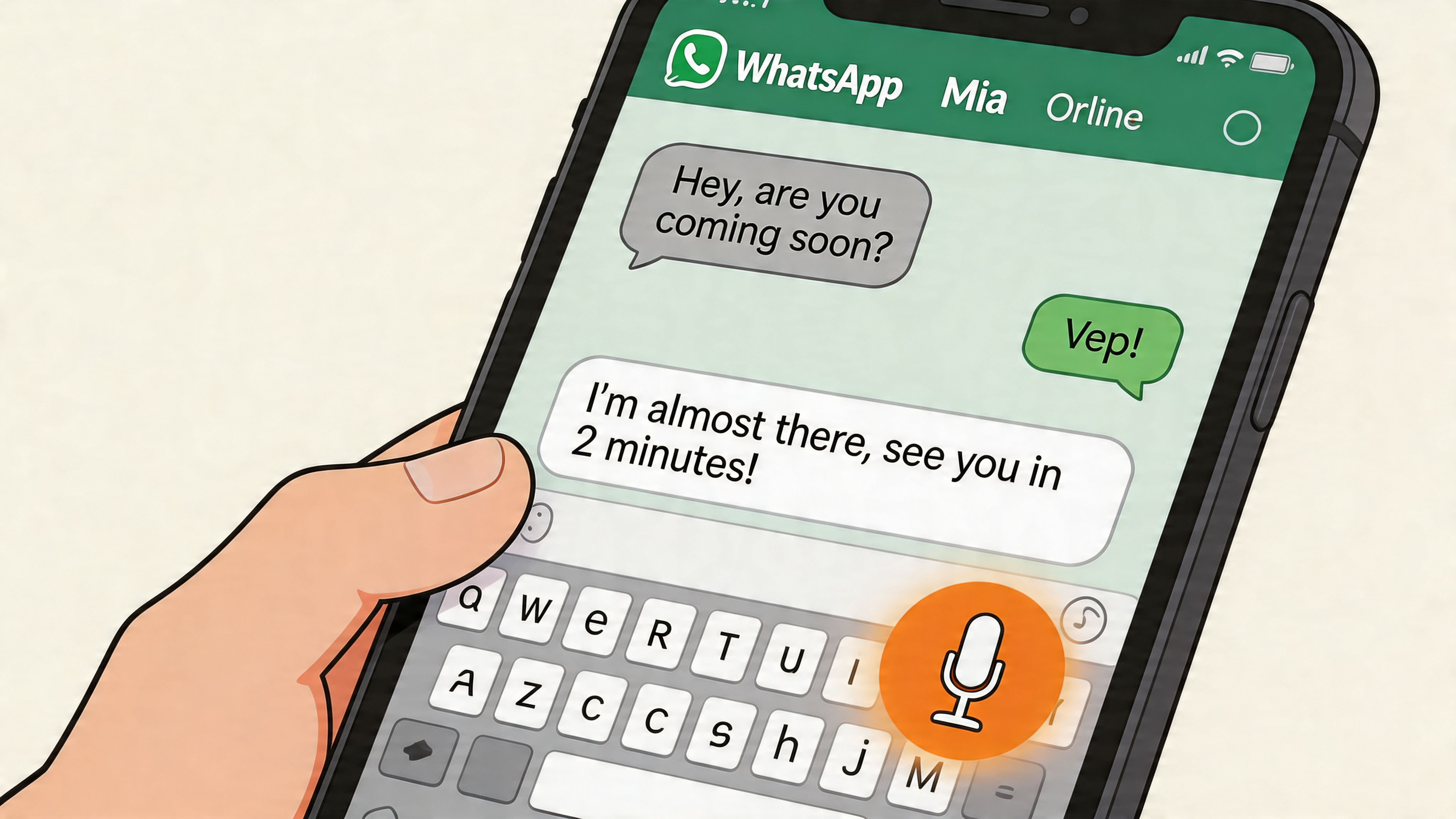
Research referenced in this report on WhatsApp transcription and dictation says speech input is approximately three times faster than typing on a mobile device. That speed advantage is why dictation is so useful between meetings, in a taxi, or while walking through an airport.
How to use it on iPhone and Android
On both iPhone and Android, open a WhatsApp chat and tap the microphone icon on your keyboard, not the WhatsApp voice note button.
Open the chat where you want to reply.
Tap the text field to bring up your keyboard.
Press the keyboard microphone.
Speak in full sentences instead of fragments.
Review before sending, especially names, dates, and numbers.
If you want a more device-specific walkthrough for Apple users, this guide to dictation on your iPhone is a useful reference.
When dictation beats sending a voice note
Sending your own voice note is easy. But it often pushes the burden onto the other person. If they’re in a meeting, they now have the same problem you had.
Text is better when you want the other person to scan, search, or forward the message. That makes keyboard dictation the better option for:
Status updates: “I’ve reviewed the contract and approved the latest draft.”
Travel coordination: “Landing at 8 PM. Please move the dinner to 9.”
Structured instructions: “Please send the revised deck to finance, then book the follow-up for tomorrow afternoon.”
One caveat matters. The same report notes that WhatsApp’s native dictation doesn’t support punctuation commands well, which can leave you with dense, unformatted text blocks. So keep your sentences short and pause naturally.
Here’s a quick demo format many people find easier to copy into their daily routine:
Speak like you’re sending an email to a colleague, not like you’re thinking out loud. Dictation rewards clarity.
Best practices that actually help
A few habits improve results immediately:
Start with the point: Don’t warm up verbally. Lead with the decision or request.
Use short bursts: One or two sentences at a time are easier to review.
Edit names manually: Proper nouns are still where dictation often slips.
Choose dictation when the recipient needs text: Especially for work messages that may be searched later.
Keyboard dictation is the fastest reply tool in the stack. It’s not the right tool for reading incoming voice notes, but for outbound speed, it’s hard to beat.
Using WhatsApps Native Voice Message Transcription
WhatsApp’s built-in voice message transcription changed the workflow for anyone who receives more audio than they want to listen to. Instead of forcing you to replay every note, the app can surface the spoken content as text directly in the chat.
That matters because the volume is massive. WhatsApp’s native transcription rollout in 2024 and 2025 addresses 7 billion voice messages sent daily, and one of the most useful outcomes is that users can keyword-search transcribed voice content later in the app, according to this WhatsApp statistics and feature overview.
When native transcription is the right choice
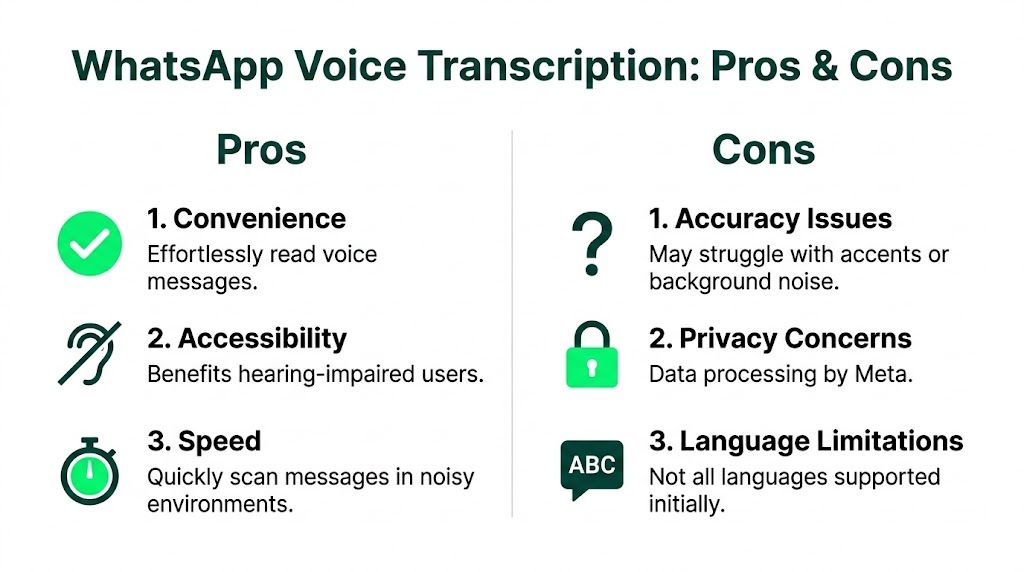
Native transcription works best when you need to scan an incoming message, not thoroughly process it.
That includes moments like these:
In meetings: You need the gist without playing audio.
On a train or in a lobby: You can read discreetly.
When revisiting old conversations: Search matters more than tone.
For accessibility: Reading is sometimes easier or necessary.
The feature usually appears inside the chat interface below the voice recording. Once it’s enabled in WhatsApp settings, you can use it without forwarding audio elsewhere.
What it gets right
The main strengths are convenience and integration.
You don’t need a separate app. You don’t need to export files. And because the transcript sits with the original message, it keeps the conversation intact. For busy operators, the biggest win is often retrieval. A transcribed note about a supplier issue, a meeting time, or a travel change becomes something you can find later with search.
A practical use case is project coordination. If someone sent a voice note last month with a deadline, vendor name, or action item, searchable transcripts turn that message from buried audio into retrievable text.
Native transcription is strongest when your goal is fast comprehension, not perfect documentation.
Where it struggles
This feature is helpful, but it isn’t universal and it isn’t flawless.
Current friction usually falls into three buckets:
Issue | What happens in practice | Better response |
|---|---|---|
Accent variation | Some phrases come back distorted or incomplete | Confirm important details before acting |
Background noise | Cafes, cars, and open offices reduce reliability | Ask for a short typed summary if the details matter |
Language coverage | Some users see unavailable transcripts | Move to a third-party workflow for unsupported languages |
For professionals, that means native transcription is a strong default for low-risk reading. It’s less dependable when the message includes booking details, payment instructions, names, addresses, or multilingual content.
A useful way to think about it
Use WhatsApp’s native option when privacy and speed inside the app matter more than perfect output. It’s a read-first tool.
If you need polished transcription, broader language support, or task execution after the transcript is created, you’ve moved beyond what the native feature is designed to handle.
Advanced Workflows With Third-Party Apps and Superchat
Third-party speech-to-text tools matter when native WhatsApp transcription stops being enough. That usually happens for one of three reasons. You need better language support, you need higher accuracy in rough audio, or you need the transcript to do something beyond sitting in the chat.
At this point, workflow design starts to matter more than the transcription itself.
What third-party tools are good at
A typical third-party process is clunkier than native WhatsApp. You may need to forward audio, export a file, or paste text elsewhere. But those tools often handle more difficult conditions better.
According to this STT benchmarking and implementation guide, top speech-to-text models can achieve sub-5% Word Error Rate in clean audio, while real-world WhatsApp scenarios often degrade to 7-10% WER. The same source says cloud-based workflows can achieve over 95% accuracy in key markets and can connect transcription to action-oriented flows such as booking from a voice command.
That difference changes the use case. Native transcription helps you read. A stronger workflow helps you execute.
If you’re comparing platforms before building a routine, this roundup of best speech to text software options is a solid starting point.
Where the simple app stack breaks down
Often, a system like this is patched together:
Receive voice note in WhatsApp.
Forward it to another app.
Get transcript.
Copy the key details into notes, calendar, email, or a task manager.
Manually complete the action.
That works. It just creates too many handoffs.
For a founder or executive, the problem isn’t only transcription quality. It’s that every extra handoff increases the chance something gets delayed or dropped. A spoken instruction like “move my flight and tell the team I’ll join remotely” shouldn’t require four tools and ten taps.
When an integrated workflow makes more sense
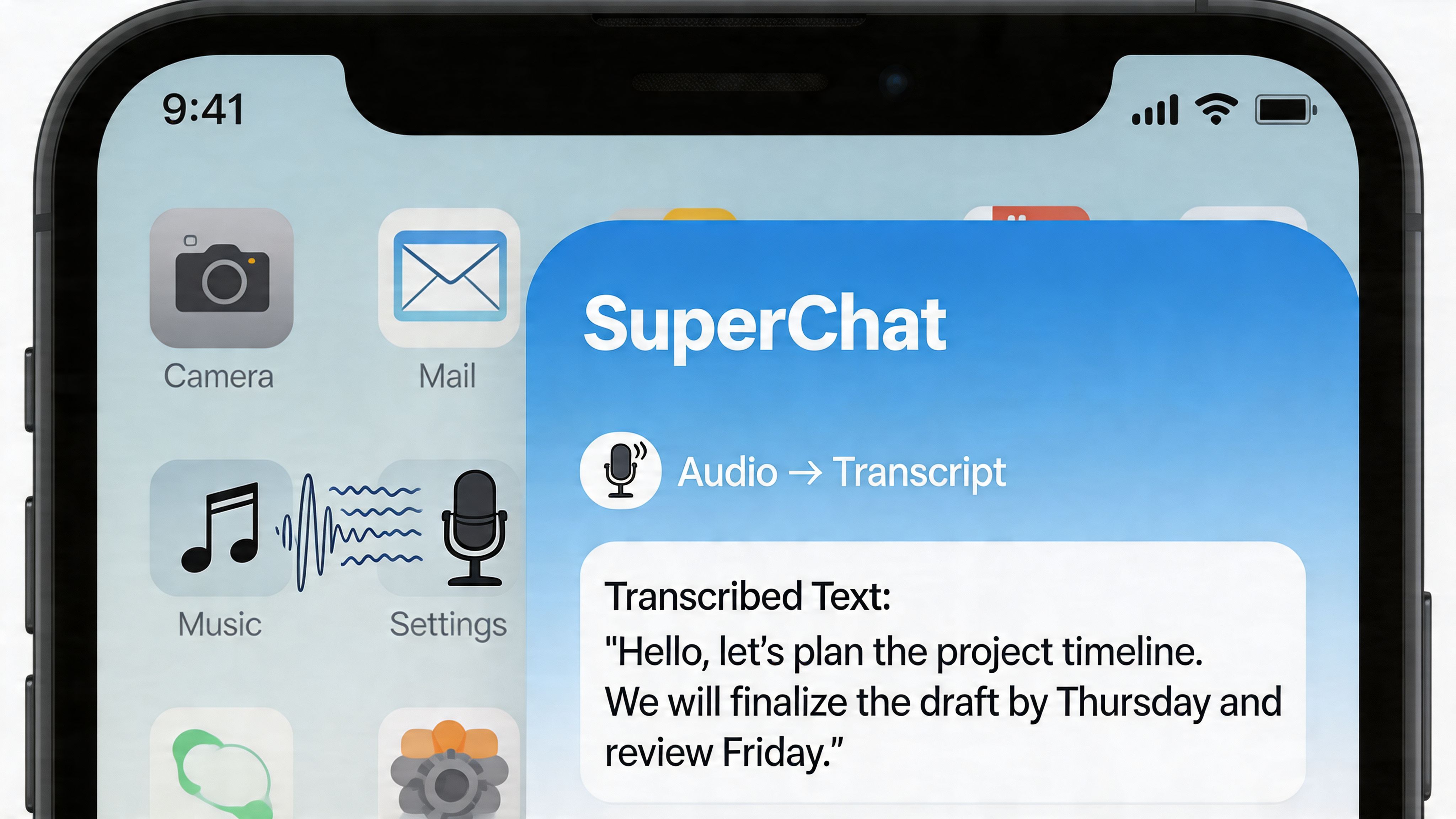
An integrated assistant workflow is useful when the voice note contains a task, not just information. That’s where a tool like Superchat’s Smart Assistant fits differently from a plain transcript app.
Instead of stopping at text, the assistant can sit closer to the action layer. A voice note can become a draft reply, a schedule update, a booking step, or a follow-up reminder inside one workflow. That’s a different category from “audio to words.”
The real productivity gain comes after transcription. It shows up when the message becomes a completed action without app switching.
A practical decision filter
Use this filter to decide when to escalate beyond WhatsApp’s native feature:
Stay native if you only need to read the message quickly.
Use a third-party app if the audio is messy, multilingual, or business-critical.
Use an assistant workflow if the transcript should trigger scheduling, booking, payment, or follow-up.
That last category matters more than is commonly understood. Executives don’t usually need another place to read transcripts. They need fewer loose ends.
Navigating Privacy Security and Accuracy Trade-Offs
People often assume on-device transcription is always the right answer because it feels safer. That’s only half true.
On-device processing does reduce exposure because the audio stays closer to your phone. For sensitive conversations, that’s a real advantage. But the trade-off is model power. Smaller local systems usually have less room to handle noisy speech, unusual accents, and messy conversational audio.
What the trade-off looks like in practice
The friction becomes obvious when the audio isn’t ideal.
User forums report on-device transcription failure rates as high as 35% for non-native accents, and noisy conditions can push error rates into the 25-40% range, according to the reporting summarized earlier. For executives dictating detailed instructions, that isn’t a small issue. If a transcript misses a date, amount, or destination, the output may be worse than no transcript at all.
That’s why the privacy question shouldn’t be abstract. It should be tied to the type of message.
Message type | Better default | Why |
|---|---|---|
Sensitive internal discussion | On-device transcription | Keeps processing closer to the handset |
Low-risk logistics in noisy audio | Cloud workflow | Often handles rough conditions better |
Critical instructions with names and dates | Human review after transcription | Accuracy matters more than speed |
Don’t confuse encryption with transcription handling
End-to-end encryption protects messages in transit. It doesn’t automatically mean every downstream transcription workflow is identical.
Once you introduce any external service, the handling model changes. That doesn’t make cloud transcription wrong. It means you should decide deliberately. If the content is operationally sensitive, keep it local where possible. If the content is routine and the local transcript is failing, a stronger transcription method may be the safer operational choice because it reduces misunderstanding.
For readers who want a broader technical primer on how assistant systems process requests, this overview of how AI assistants work gives the right mental model.
Privacy isn’t just about where data goes. It’s also about what happens when bad transcription causes the wrong action.
A practical policy for professionals
A simple working policy beats a blanket rule:
Use native on-device methods for confidential discussion and low-complexity reading.
Use stronger cloud transcription for non-sensitive audio where local output keeps failing.
Verify all high-stakes details manually before sending money, confirming travel, or changing schedules.
That’s the trade-off. Not privacy versus convenience. Privacy versus reliability, depending on the message.
Troubleshooting and Frequently Asked Questions
Most speech to text whatsapp problems come down to one of three causes: unsupported language, poor audio quality, or using the wrong method for the job.
A common frustration is seeing no usable transcript for certain languages. That issue is especially visible in South Asia. WhatsApp’s native transcription often fails for major languages such as Hindi, leaving many users in India, where there are over 500 million WhatsApp users, to rely on workarounds instead, as noted in this discussion of language support gaps.
Fixes for the most common problems
If transcription isn’t working well, start here:
Check the language first: If the voice note is in a language with weak support, the problem may not be your settings.
Reduce background noise: Ask the sender for a shorter, clearer resend if the message was recorded in traffic, wind, or a crowded room.
Use the right tool: Keyboard dictation is for sending replies. It won’t help you read incoming voice notes.
Review critical details manually: Dates, names, locations, and numbers deserve a second check.
Keep voice notes concise when possible: Shorter messages are easier to transcribe and easier to act on.
FAQ
Can I transcribe old WhatsApp voice messages
If native transcription is available for those messages in your app and language, you may be able to generate transcripts and then search them later. In practice, this depends on feature availability and message conditions.
Does speech to text whatsapp work on desktop or web
Support can vary by device and app version. The most reliable experience is usually on mobile, where WhatsApp has focused its native voice features first.
Why does it say transcript unavailable
The usual causes are unsupported language, unclear audio, or feature availability on your device. If the message is multilingual or heavily accented, native transcription may fail even when the feature is enabled.
Is native transcription enough for work use
Sometimes. It’s good for scanning and catching the gist. It’s weaker when the message contains action items that must be executed accurately.
What should I do if my team uses multiple languages
Standardize the workflow. Use native transcription for supported, low-risk messages. Use a third-party or assistant-based process for multilingual or operationally important notes. Mixed methods work best when everyone knows which one to use when.
The best setup isn’t the most technical one. It’s the one that matches the moment. Reply by dictation when speed matters. Read with native transcription when you can’t listen. Escalate to a more advanced workflow when spoken messages need to become real work.
If you want one place to turn conversations into action instead of just transcripts, Superchat is built for that workflow. It can sit at the point where messages, scheduling, travel, payments, and follow-ups meet, so voice-driven requests don’t stop at text and wait for you to finish the job manually.


